In stock

iPhone 13/13 Mini Camera Glass Lens
5.35CHF
Original and premium Apple iPhone camera modules, sapphire lens glass, and front flex cables in Switzerland with same-day shipping and B2B wholesale pricing.

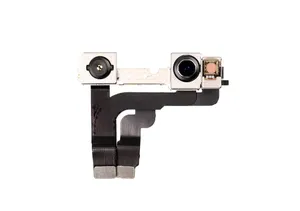
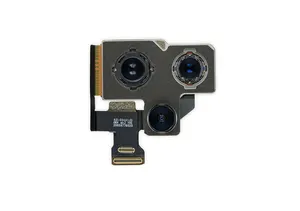

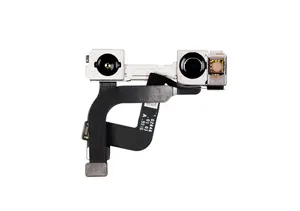

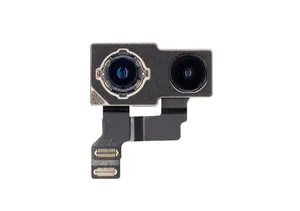
Modern Apple iPhone camera systems feature advanced sensor-shift Optical Image Stabilization (OIS) and closed-loop autofocus (AF) mechanisms. However, heavy physical impacts, magnetic interference, and severe mechanical vibrations can cause these micro-actuators to fail. The most frequent symptom is an uncommanded vibration or high-frequency buzzing sound whenever the Camera app opens, resulting in violently shaking footage and an inability to focus. As officially documented in Apple Support: Exposure to motorcycle vibrations affecting iPhone cameras, exposure to high-amplitude vibrations generated by high-power motorcycle engines permanently degrades OIS performance. When internal magnetic coils or suspension wires break, software updates cannot restore stabilization; replacing the defective rear camera module with a factory-tested unit is the only permanent solution.
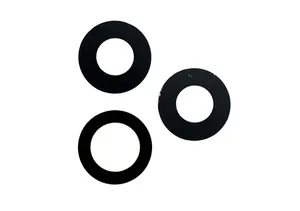
Repair shops and technicians must accurately distinguish between damage to the camera module itself and superficial damage to the external camera bezel glass. If the camera preview remains sharp, clear, and vibration-free but hairline fractures or spiderweb cracks are visible externally, only the outer sapphire camera lens glass requires replacement. Replacing broken lens glass promptly is vital: exposed camera sensors quickly accumulate dust, debris, and moisture that can permanently scratch the underlying optics or cause dark spots in photos. When replacing shattered camera glass, ensure all glass fragments are extracted with precision suction and clean air before sealing with pre-cut adhesive rings. When the camera sensor itself displays purple spots, permanent dark smudges, black screens on 0.5x ultra-wide or 3x/5x telephoto zoom, or mechanical rattles, installing a full multi-lens camera module from RepairParts.ch restores 100% factory optical performance.
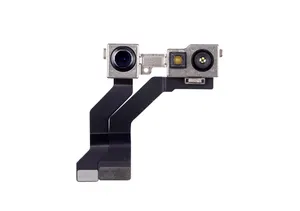
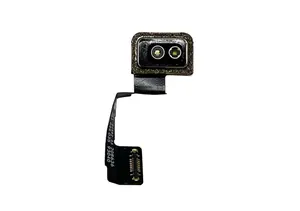
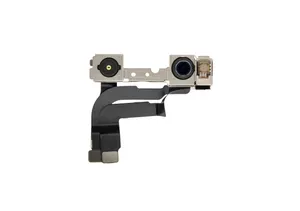
The front-facing camera on Apple iPhones is part of an integrated TrueDepth sensory array combining the selfie camera sensor, infrared illuminator, and dot projector. While standard front camera flex cables can be replaced to resolve blurry selfies, flickering video, or broken microphone audio, Face ID biometric functionality is cryptographically paired to the logic board Secure Enclave. Technicians servicing front camera assemblies must handle flex cables with extreme care to prevent tearing delicate traces. For technicians performing micro-soldering or sensor transfers, RepairParts.ch supplies premium-grade front camera flex components engineered to exact OEM tolerances, ensuring crisp video calling, accurate ambient light measurement, and flawless proximity sensor operation.
On iPhone 12, iPhone 13, iPhone 14, iPhone 15, and newer generations, iOS incorporates hardware verification protocols. Replacing a camera module may trigger an "Important Camera Message" or display "Unknown Part" under Settings > General > About > Parts and Service History. As explained in Apple Support: About genuine iPhone cameras, this notification informs device owners that the camera module has been serviced and does not impair optical performance, autofocus, or photo resolution. With the introduction of iOS 18 Repair Assistant, genuine and OEM pulled camera modules can now be calibrated directly on-device to pair parts seamlessly with the system board. RepairParts.ch provides pristine OEM pulled and premium replacement modules to ensure maximum reliability and flawless image processing.
Installing an iPhone camera module requires strict adherence to technical repair standards. Before servicing internal components, always disconnect the battery connector to eliminate any risk of short-circuiting the logic board power management IC (PMIC)—explore our Apple iPhone Replacement Batteries for fresh battery packs. Removing the display assembly requires controlled heat and suction—view our Apple iPhone Replacement Displays if screen replacement is needed simultaneously. We recommend consulting step-by-step disassembly walkthroughs from iFixit iPhone Camera Repair & Disassembly Guides to ensure accurate screw mapping and correct bracket tension. After completing the repair, reseal the chassis perimeter with waterproof adhesive gaskets from our Apple iPhone Back Covers & Adhesives catalog to maintain IP68 ingress protection. For customers and corporate clients who prefer professional bench service, our certified Swiss repair partners at Repair&Shop Swiss Professional Apple Repair Service offer expert camera diagnostics, ultrasonic cleaning, and module installation across Switzerland. All orders placed on RepairParts.ch are packed with anti-static protection and dispatched rapidly via Swiss Post from our domestic warehouse.