OriginalIn stock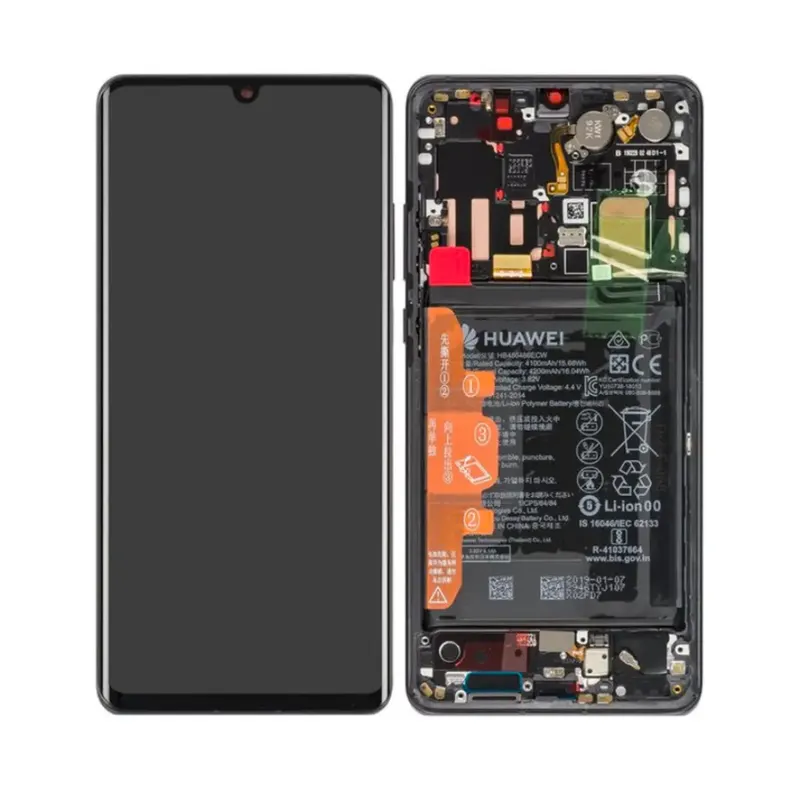
In stock
Huawei P30 Pro (VOG-L29)/P30 Pro New Edition (VOG-L29) LCD Display + Touchscreen + Frame - 02354NAC/02355MUL - Black
Write A ReviewHuawei P30 Pro (VOG-L29)/P30 Pro New Edition (VOG-L29) LCD Display + Touchscreen + Frame - 02354NAC/02355MUL - Black. Restore your smartphone's brilliance with this high-quality, original Huawei display. Enjoy vibrant visuals, smooth touch response, and a perfect fit. Buy now for a hassle-free setup and flawless functionality.
Original
CHF 140.48VAT included · Excl. VAT: CHF 129.95
Product Description
Original Huawei Display for P30 Pro (VOG-L29)
Restore your smartphone's original brilliance with the Huawei P30 Pro (VOG-L29) original display. This high-quality replacement part ensures a vibrant visual experience, smooth touchscreen responsiveness, and a perfect fit for both the P30 Pro (VOG-L29) and the P30 Pro New Edition (VOG-L29).
Designed specifically for the Huawei P30 Pro (VOG-L29) and P30 Pro New Edition (VOG-L29) models.
1x Original Huawei P30 Pro Display + Touchscreen + Frame – Black
Restore your smartphone's original brilliance with the Huawei P30 Pro (VOG-L29) original display. This high-quality replacement part ensures a vibrant visual experience, smooth touchscreen responsiveness, and a perfect fit for both the P30 Pro (VOG-L29) and the P30 Pro New Edition (VOG-L29).
Features:
- High-Resolution OLED Display: Enjoy stunning clarity and vivid colors on a premium OLED screen.
- Precise Touchscreen: Delivers fast and accurate touch responsiveness for seamless operation.
- Genuine Huawei Quality: Built to Huawei’s high standards, ensuring durability and flawless functionality.
- Convenient Installation: Includes the LCD display, touchscreen, and frame (02354NAC/02355MUL) for hassle-free setup.
Compatibility:
Designed specifically for the Huawei P30 Pro (VOG-L29) and P30 Pro New Edition (VOG-L29) models.
Package Includes:
1x Original Huawei P30 Pro Display + Touchscreen + Frame – Black
Installation Tips:
- Turn off and unplug the device before replacing the display.
- Clean the device surface to ensure strong adhesion and functionality.
- Seek professional installation to avoid potential damage and ensure optimal results.